
In beta: 3D Building View
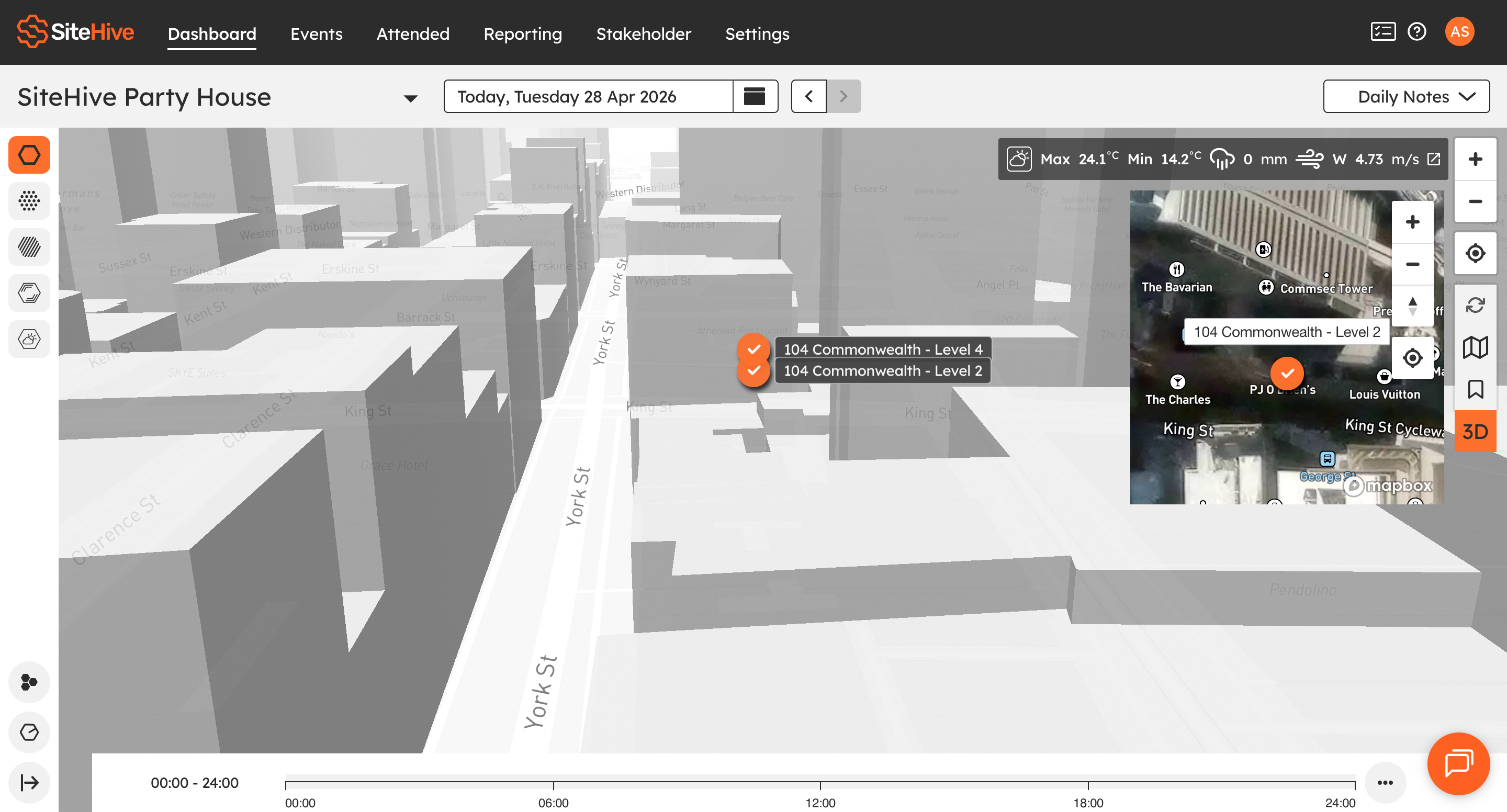
The Dashboard now includes a 3D building view, giving you a clearer way to visualise where your monitoring points are located across your site.
Previously, monitoring points were displayed in a standard 2D view. With a 3D building view, you can now see monitoring locations vertically within buildings and across multiple levels, helping you better understand device placement and site layout. This builds on the Dashboard’s existing live map functionality, where monitoring point status and data are displayed directly on the map.
Why Use This Feature?
3D building view is useful when the standard 2D view does not provide enough context for the monitoring points — especially on complex or multi-level sites. It will help you:
See monitoring points across multiple elevations
Understand exactly where devices sit within buildings
Get clearer spatial context on large or complex sites
Reduce reliance on plans or labels to interpret monitor placement
It’s particularly helpful for high-rise, infrastructure, and multi-level construction projects.
.png)
How To Use
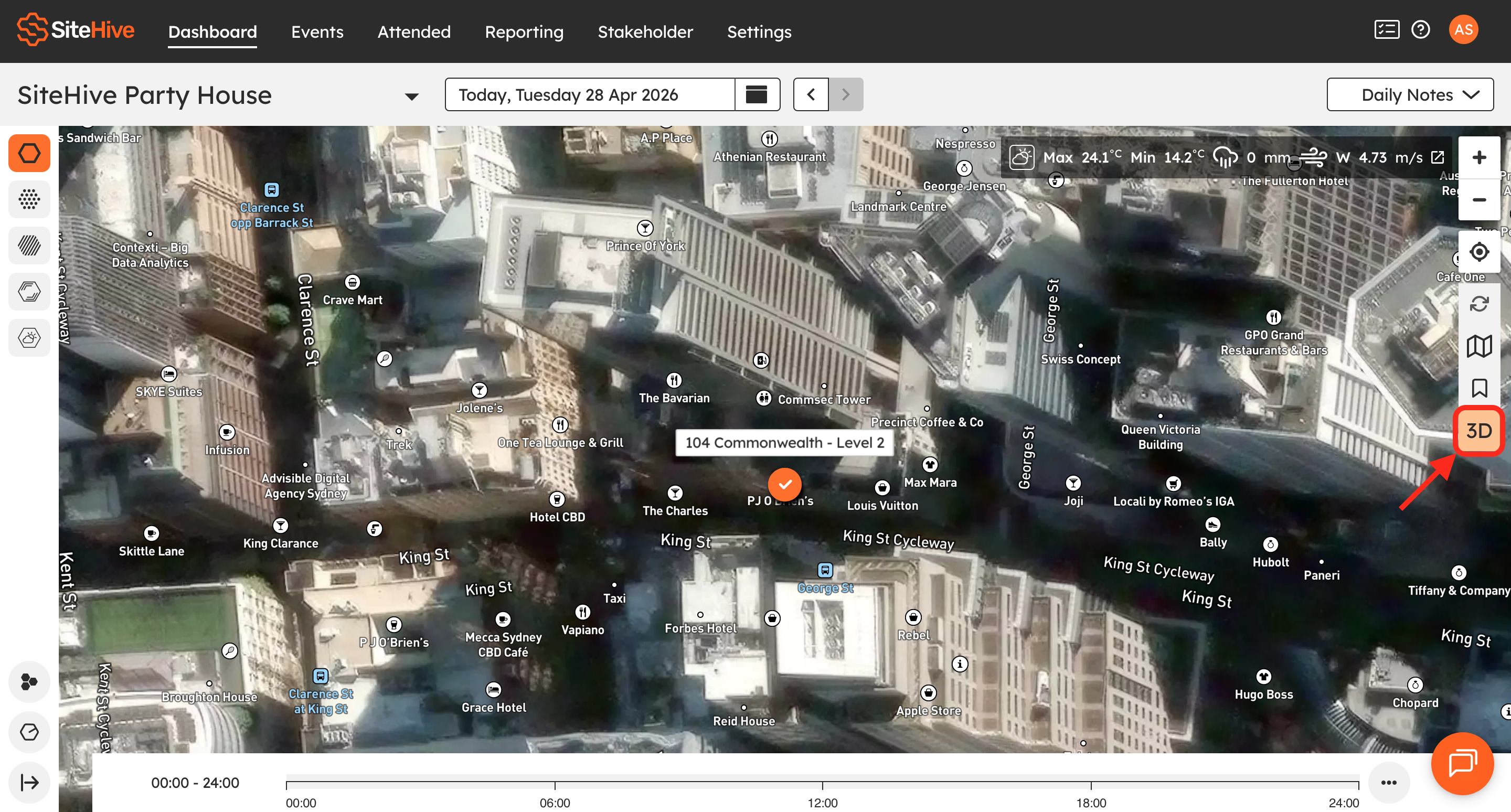
On the Dashboard, you can switch between the standard 2D view and 3D view using the 3D button. In 3D mode, monitoring points are shown against building structures, allowing you to see their vertical and horizontal positioning.
You still have access to all key monitoring information, including:
Live measurement readings
Direction of Arrival (DoA) information (where applicable)
This ensures you retain full real-time visibility, with improved spatial context.
Create Monitoring Point
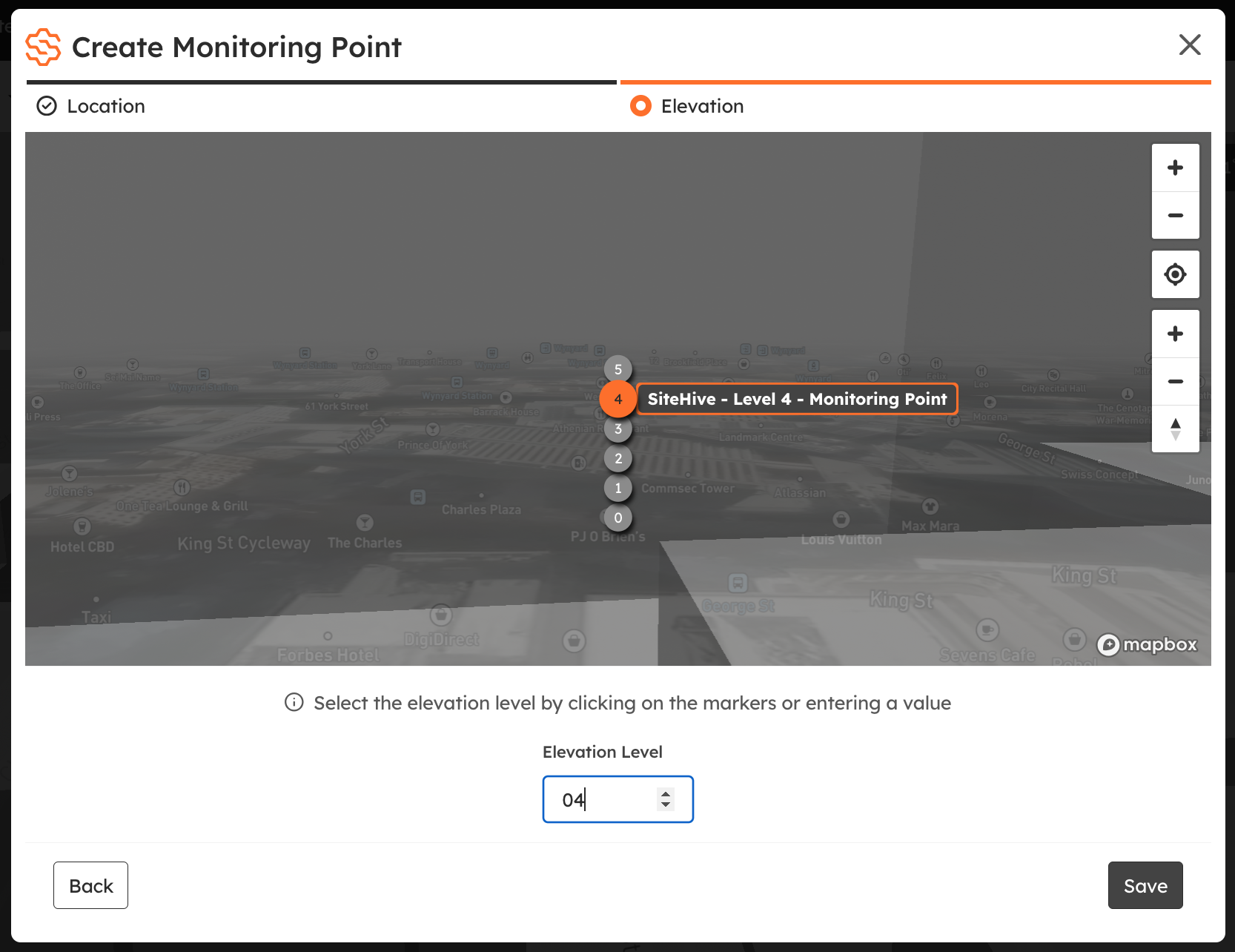
When creating a new monitoring point, there is an additional step to select the elevation level. You can do this by clicking one of the elevation markers shown on the building or by entering the elevation level manually.
The system treats elevation 0 as the underground level, 1 as the ground floor, and higher numbers as progressively higher levels.
Availability
The 3D view feature is available for all SiteHive Enviro and SiteHive Enviro Pro users.
If you would like this feature enabled for your project, please get in touch with our team:
📞 Call us: +61 483 924 329
💬 Live Chat: Find us in the dashboard or settings tab.
✉️ Email: support@sitehive.com