
SiteHive Water: how it works
Capture surface water quality in the field, process lab results automatically, and track it all against thresholds in SiteHive Enviro Pro.
SiteHive Water: how it works
Capture surface water quality in the field, bring in lab results, and keep a complete record of your site's water monitoring in SiteHive Enviro Pro.
Most construction sites monitor surface water to show that runoff and discharge aren't affecting nearby waterways. This usually means taking readings at sediment basins, discharge points, and upstream and downstream locations, especially after rain. SiteHive supports water monitoring in three ways:
Attended field measurements: readings from a handheld water quality meter, captured on your phone on site
Lab results: detailed laboratory analysis forwarded to SiteHive and checked against ANZG guidelines
Real-time water: telemetry devices connected to SiteHive for continuous readings
Water Attended field measurements
Attended water monitoring is part of SiteHive Attended, a SiteHive Enviro Pro feature. It replaces pen and paper. You read the values off your handheld meter (for example a Horiba) and enter them straight into SiteHive at the sampling location. Your results are ready to review and report the moment you save.
💡 Attended works best on your phone. Install the web app on your phone so it opens full screen with your login remembered.
Capture a measurement
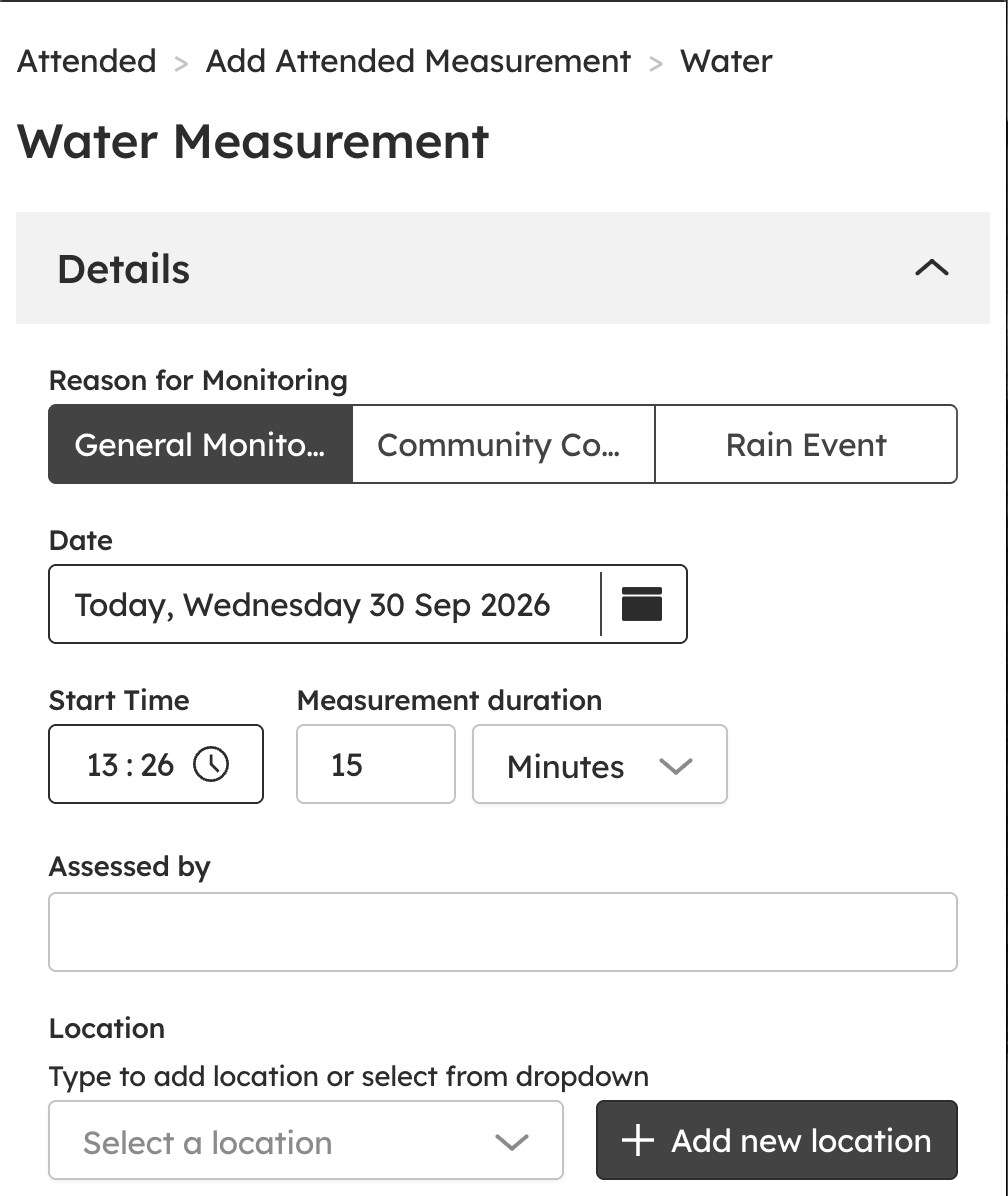
Go to Attended and select + Add attended measurement, then choose Surface Water Quality.

Choose the reason for monitoring: general monitoring, a community complaint, or a follow-up to a rainfall event.
Select the location. If you use the same location each time, results build into a trend over the life of the project. You can add a new location here if you need one.
Describe the site activities happening at the time. The date, time, the person monitoring and the local weather are filled in for you.
Enter the readings from your meter, such as pH, turbidity, electrical conductivity and dissolved oxygen.
Record whether the water is compliant and whether any contaminants are present.
Add photos. We recommend one of the meter's screen and one of the water body. Together they give you evidence for every reading.
See results against your thresholds
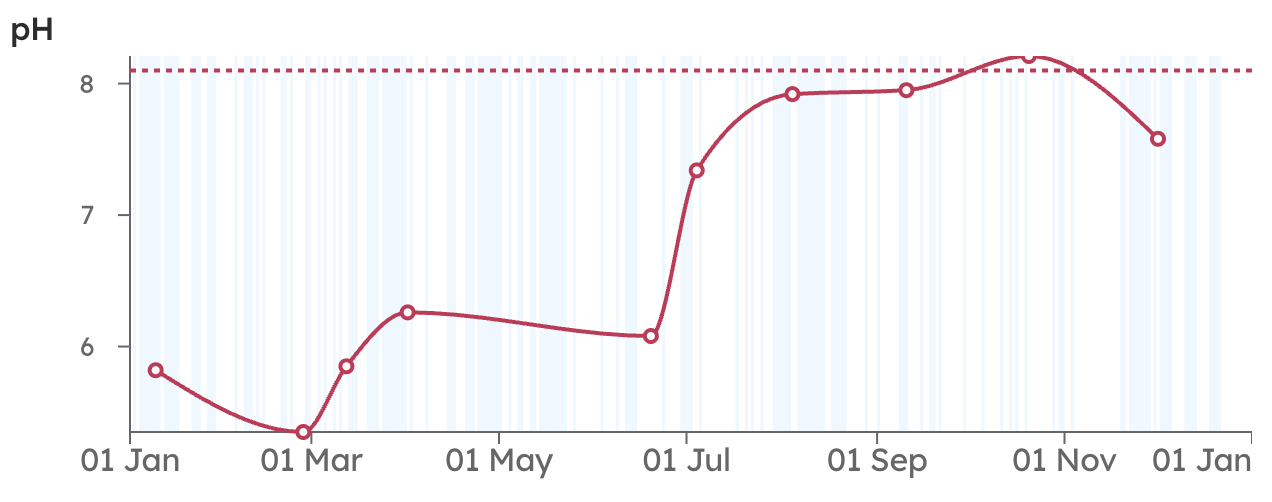
Set thresholds for each location in Attended > Settings, for example pH, turbidity, conductivity and dissolved oxygen. Once a measurement is saved, any reading over a threshold is highlighted in red in the results table. This lets you check whether water is fit to discharge before it leaves site.
Keep your meters in the register
Add your handheld meters in Attended > Settings with their asset numbers, serial numbers and calibration due dates. Each measurement records which device was used, so your records are complete if you're audited.
Report and spot trends
Generate a PDF of any measurement or date range. It includes the map, readings, photos and device details.
Use graphs to compare locations over time. Plotting upstream against downstream is a quick way to see whether works may be affecting a waterway.
Water Lab Results
When you need more detailed analysis, SiteHive can process results from laboratories, covering hundreds of parameters, and show them in the Lab Results section under Attended.
We have worked with labs including Eurofins and ALS. Once your site is set up, forward the results email from the lab, with its attachments, to your site's SiteHive address. The results are then processed automatically.
ℹ️ Lab results need a quick setup for each site. Contact your Regional Success Manager or support@sitehive.com before your first samples go to the lab.
Find and review your results
Results are shown for each sampled location in Attended > Lab Results.

Open View Files on any row to see the lab's source files, such as the Chain of Custody and ESDAT files.
Click Apply Thresholds to mark each result as freshwater or marine water. SiteHive then applies the relevant ANZG guidelines to each measurement.

Any parameters over their thresholds are listed in a non-compliant parameters table, so you can follow them up.

Real-time water
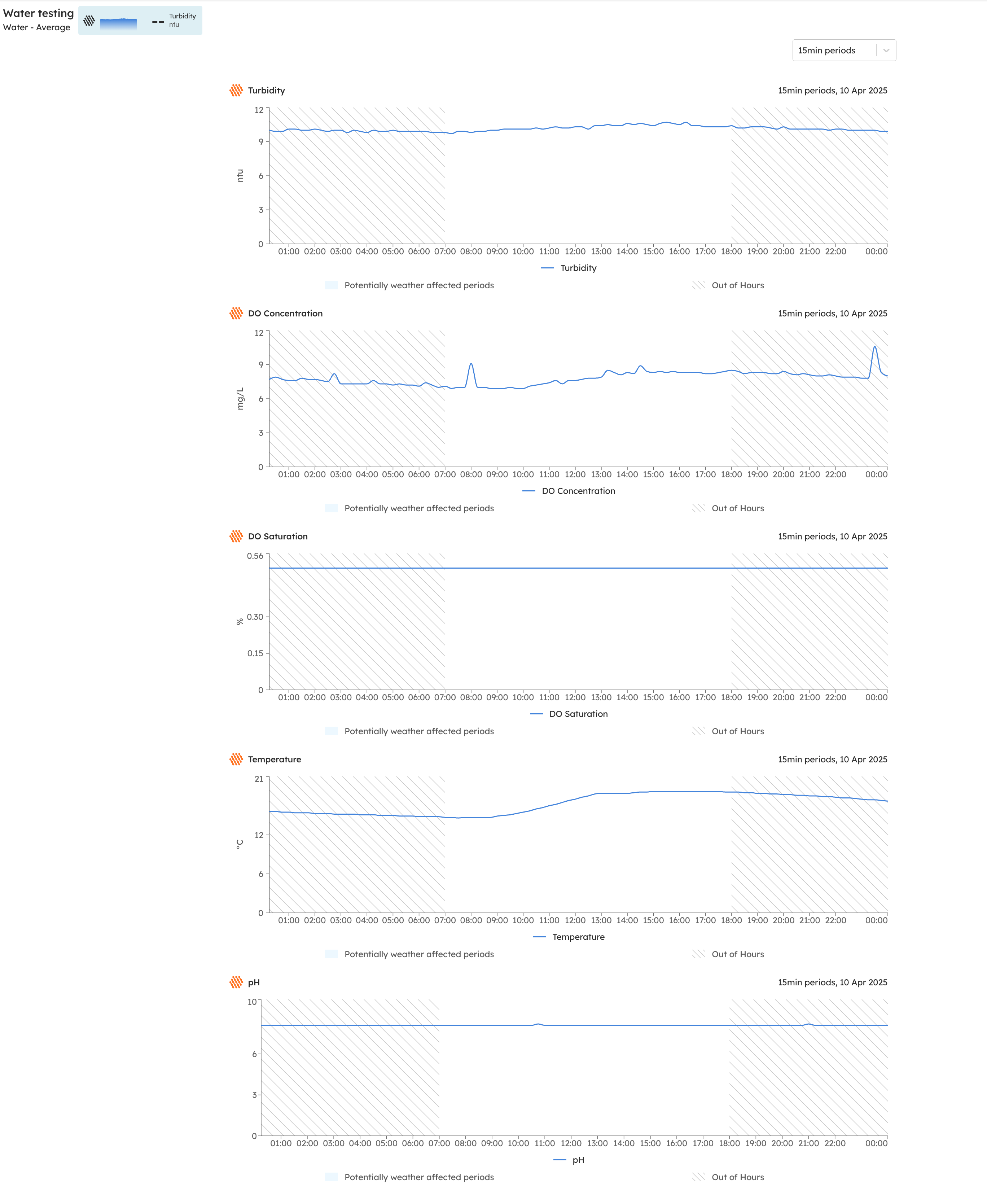
SiteHive can connect water telemetry devices to track parameters such as turbidity, pH, electrical conductivity and dissolved oxygen continuously, alongside your other site data.
Real-time water is set up case by case. Contact your Regional Success Manager or support@sitehive.com to discuss whether it suits your site.
Plan monitoring around rainfall
Many water management plans require monitoring after significant rain. SiteHive can send you rainfall forecast notifications, so you know ahead of time when a rain event is expected. You can then plan attended rounds or lab sampling, and record follow-up measurements with the rainfall event reason.
To turn on weather notifications, set yourself up as a recipient in Set up rules and notifications.
What's next
Attended measurements (the Attended app in full: notes, files, PDFs and graphs)
Install the web app on your phone (capture water readings in the field)
Set up rules and notifications (get rainfall forecasts and threshold alerts)