
Solar controller: check it is charging, and reset it
A solar set-up runs the panel and the battery through a solar controller, the small box with three indicator lights and a small display. The lights are the quickest way to tell whether the panel is charging and the battery is holding, and the controller is where you fix it when it is not.
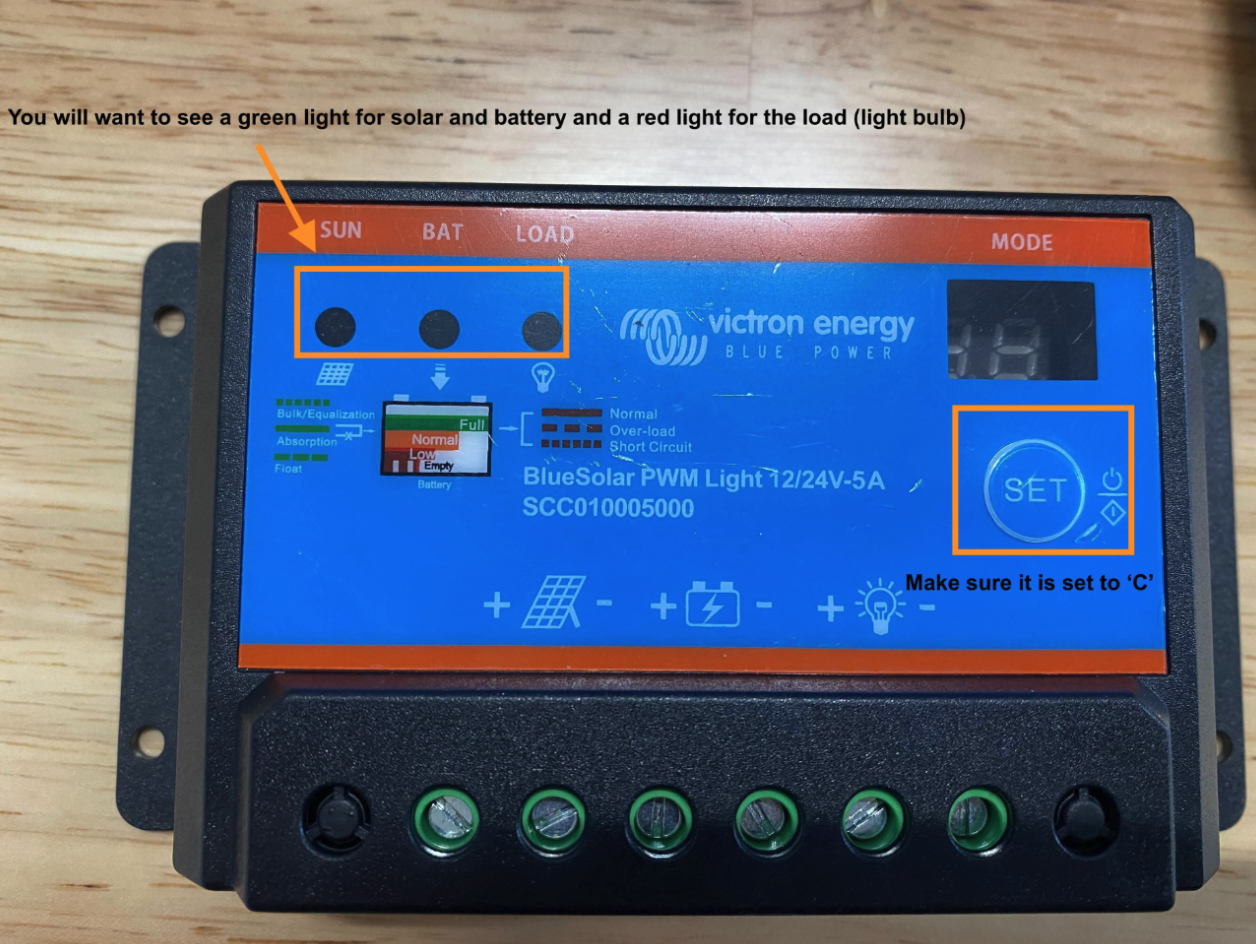
What each light means
Sun, green: the panel is receiving sunlight and charging.
Bat, green: the battery is charged.
Load, red: the device is drawing power and recording. This one is normal.
Bat, red: the battery is low. It needs more sun, or a replacement.
A red Bat light
A red Bat light almost always means the panel is not doing its job. Check it in this order:
Is it facing north, at the right angle? Stands get knocked; tilt it to catch the winter sun.
Is anything in front of it? Grass, weeds, a stockpile, a new shed or a container throw shade that was not there at install.
Is it clean? Wipe off dust, mud and bird droppings.
Are the cables seated? Panel into the controller, battery cable at both ends, load cable into the device.
If the panel is clear and the light stays red for more than a day of sun, the battery may no longer hold charge. Lead-acid batteries typically last around two years; email support@sitehive.com and we will organise a replacement or a backup charger.
Reset the controller
Press Set until C is shown on the display, and keep pressing until it is. This puts the controller back in the mode the Hexanode needs.
ℹ️ The controller lights tell you about the panel and the battery. The light on the device itself tells you whether it is powered, connected and recording: LED device lights: what each colour means.
What's next
Power and battery options (choosing mains or solar, lithium or lead-acid)
If a device goes offline (the flat-battery checklist, and what to do when the device itself is the fault)
Install your SiteHive Hexanode Noise, Dust or Noise+Dust (building the solar stand)