
Share a stakeholder view
The Stakeholder View is all about transparency. It provides stakeholders with a simple, high-level overview of your site's environmental activity, without requiring them to access the full SiteHive software.
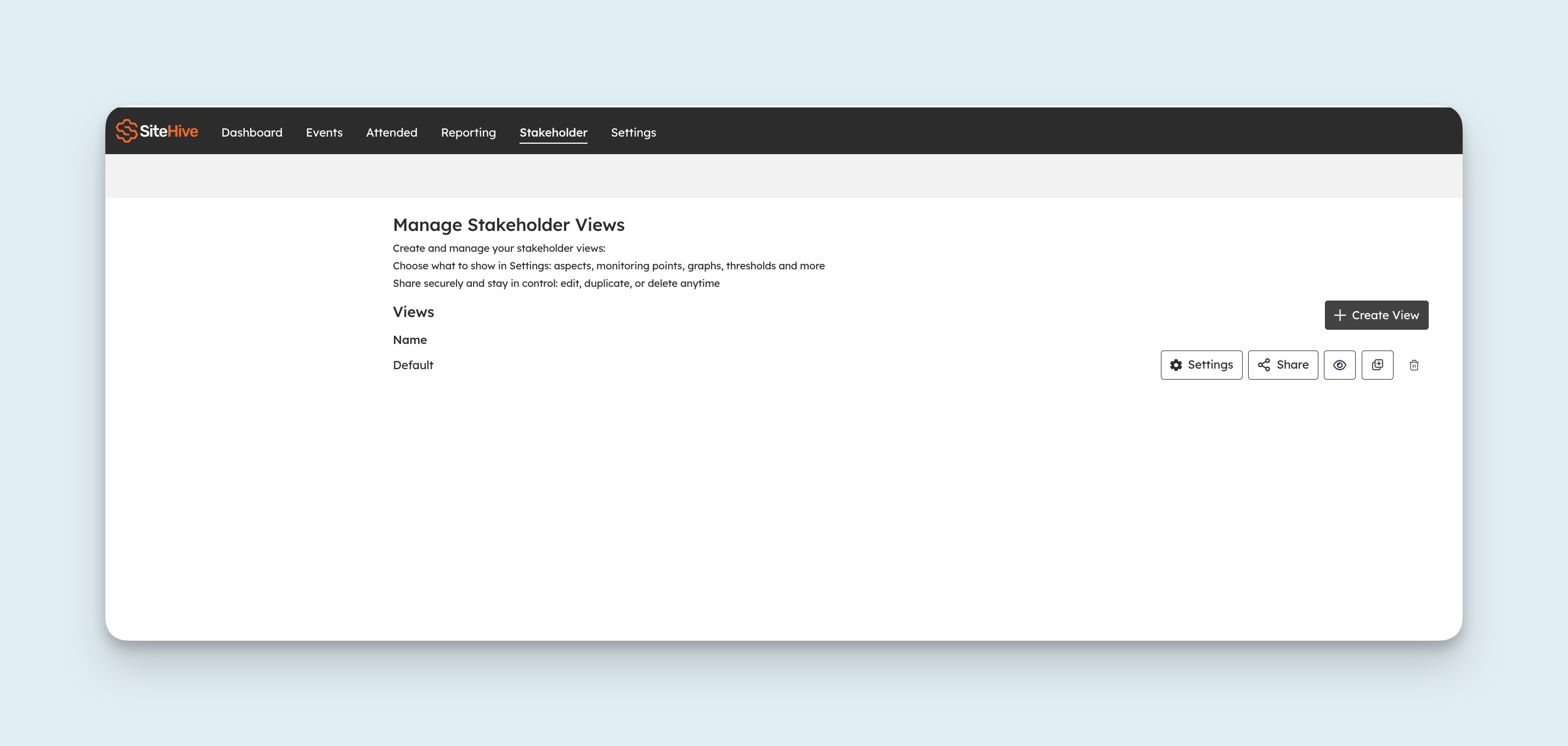
Multiple Stakeholder Views
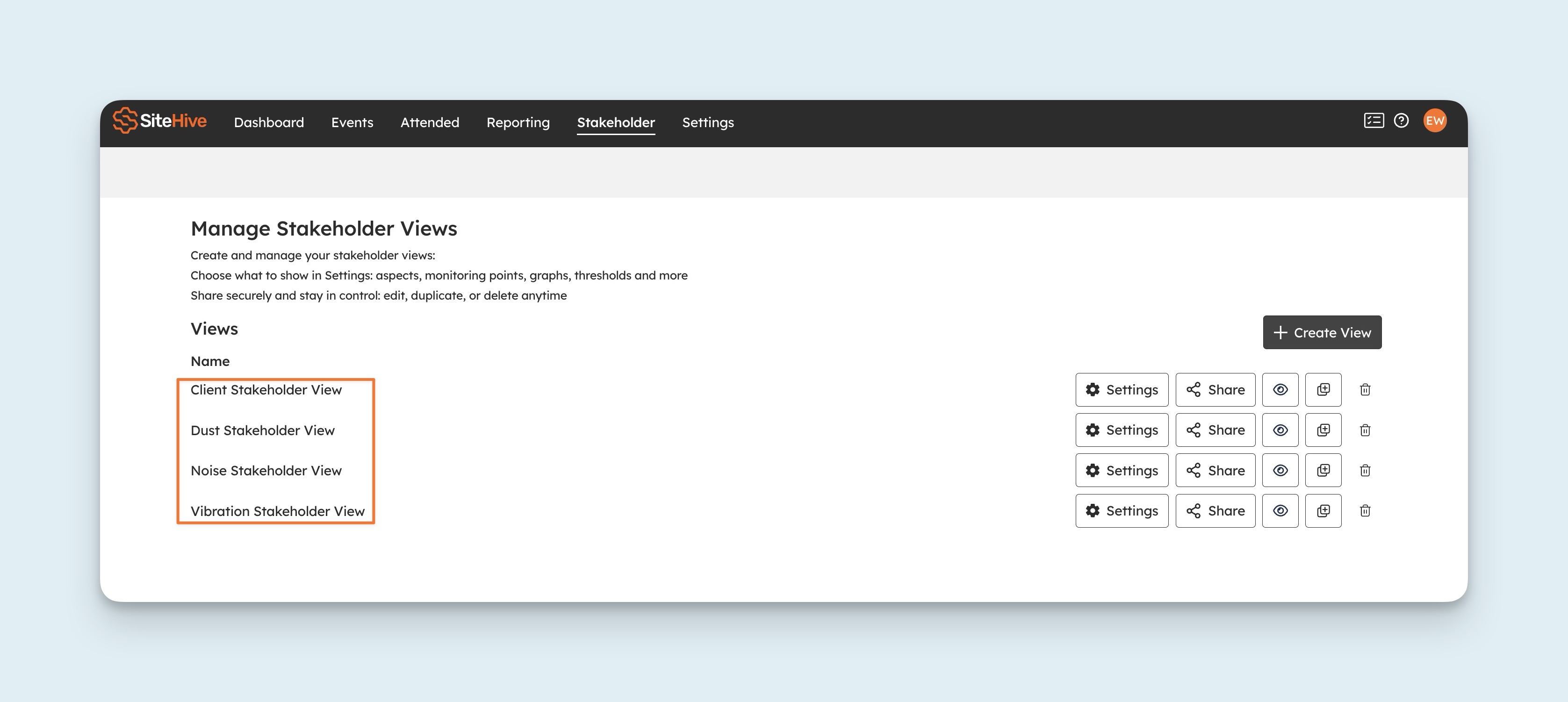
You can create and manage multiple Stakeholder Views. This gives you greater flexibility to tailor what different audiences see, and stay in full control.
Settings

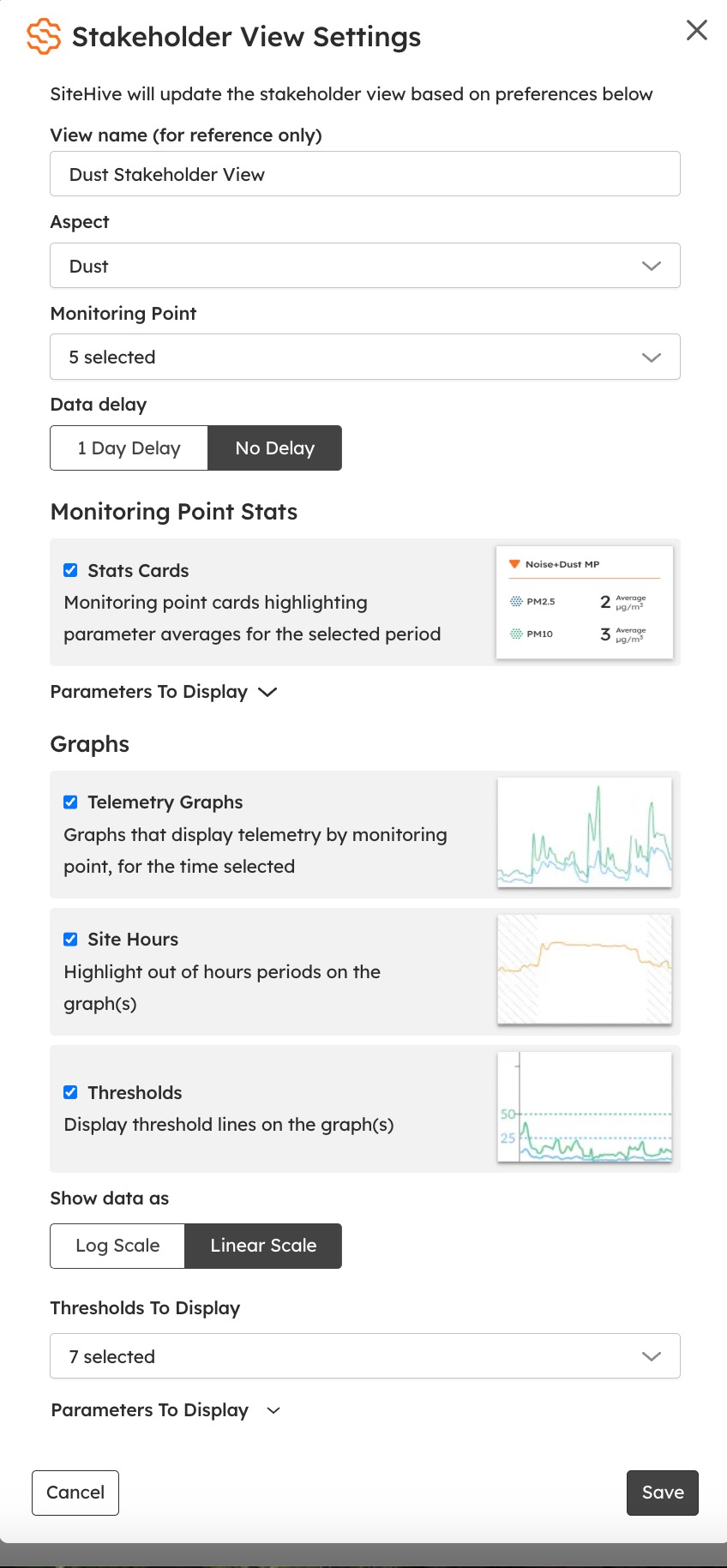
From the Settings tab, you're in control of what's shared:
Create a view name for internal reference.
Select which aspects (Noise, Dust, Vibration) and monitoring points to display.
Data delay: show data in real time, or with a 1-day delay (useful if you want to review and explain events before stakeholders see them).
Choose whether to include stats and analysis cards.
Add telemetry graphs, with options to display thresholds and site hours.
Pick between linear or log scale.
Decide which parameters to show and set your preferred interval periods.
This flexibility makes it easy to share the right level of information: clear, transparent, and tailored for your audience.
Vessel tracker settings
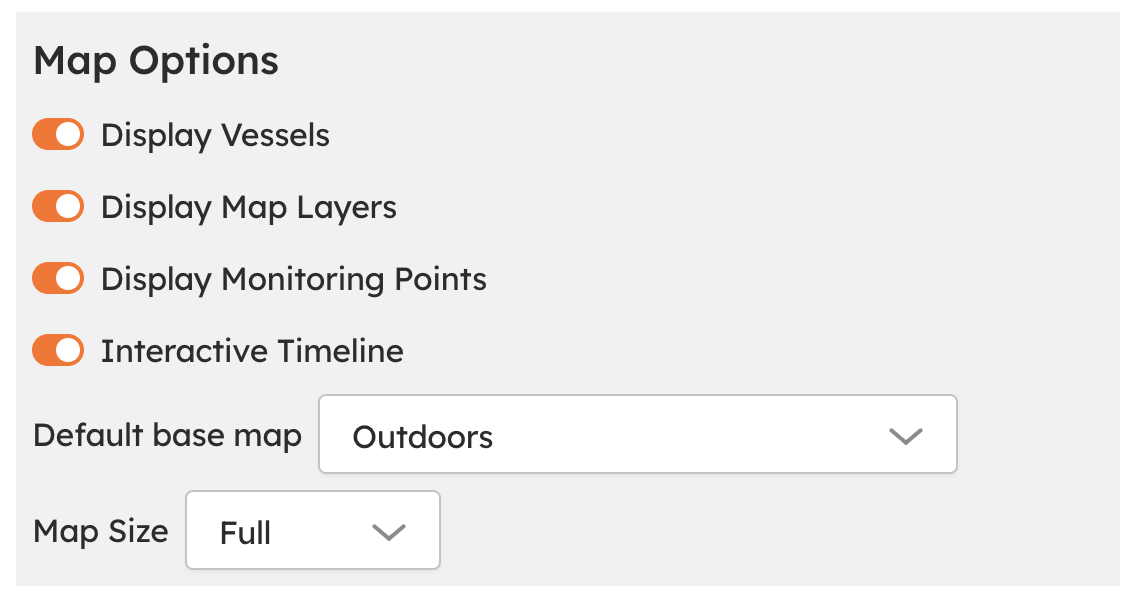
If you are using the Vessel Tracker, you can customise what information is visible to stakeholders via Settings > Map Options.
From this section, you can configure which vessel data and map elements are displayed in the Stakeholder View. Any changes made in Map Options automatically apply to the Stakeholder View.
How to share the Stakeholder View
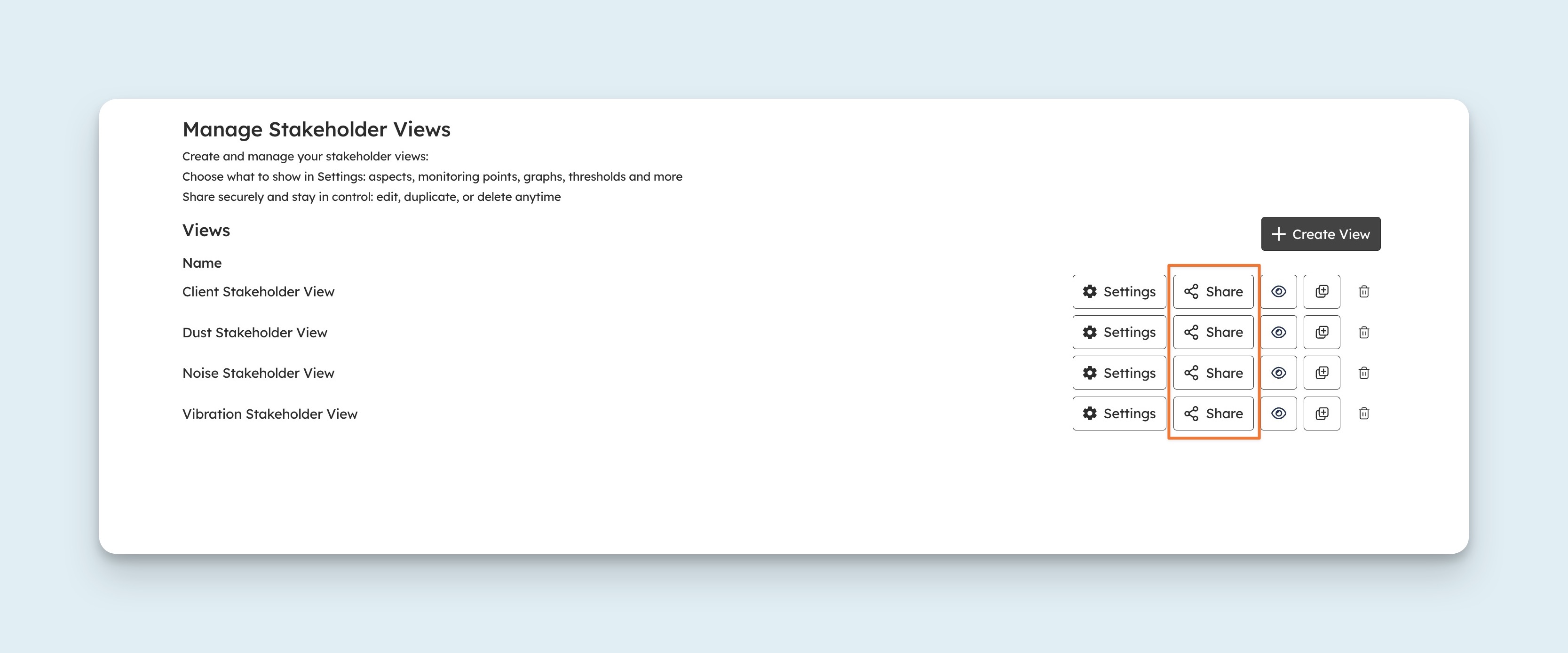
To share the Stakeholder View, press the Share button next to the view you want to share. This brings up a modal with a link that can be copied and shared. Anyone with the link can view the Stakeholder View, no login required.
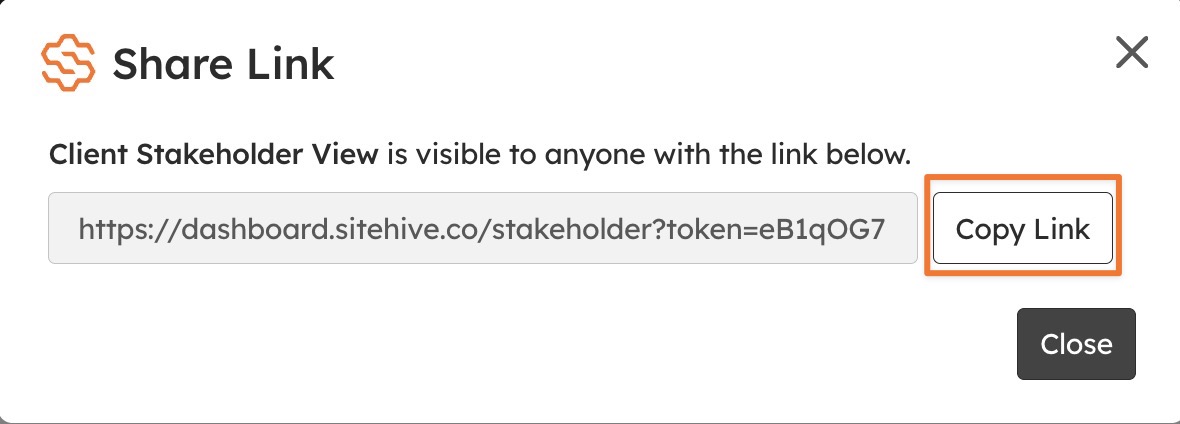
ℹ️ Links never expire: newly generated links are permanent, and any changes you make to the view settings automatically apply to all existing links, so anyone with a link always sees the latest version.
Preview, edit, duplicate, or delete views at any time
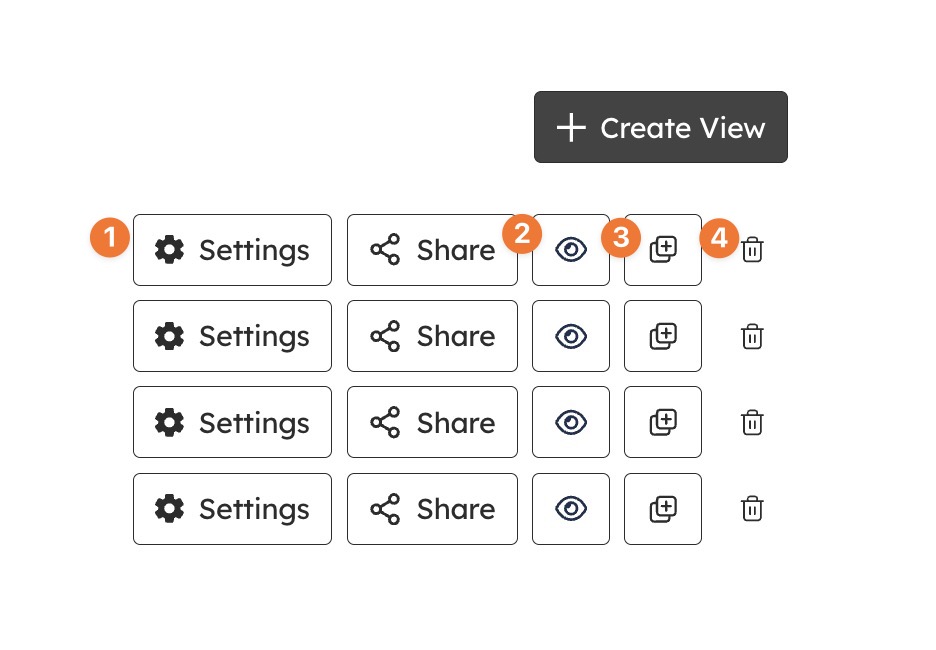
Quickly update existing views (settings)
Preview the stakeholder view you have created
Duplicate your stakeholder view to reuse it
Or delete outdated ones
You're always in control, with flexibility to adjust as things change.
What’s next
Stats and Analysis (what the stats and analysis cards show)
PDF Reports (scheduled reports for stakeholders who prefer documents)
SiteHive Enviro Pro - Overview (Stakeholder Views is part of Enviro Pro)