
Select events in bulk with Smart Select
Smart Select picks out, in one go, every event that meets criteria you choose, so you can explain them together instead of one by one. It is part of the event review workflow on the Events page, and it is a SiteHive Enviro Pro feature.
How it works
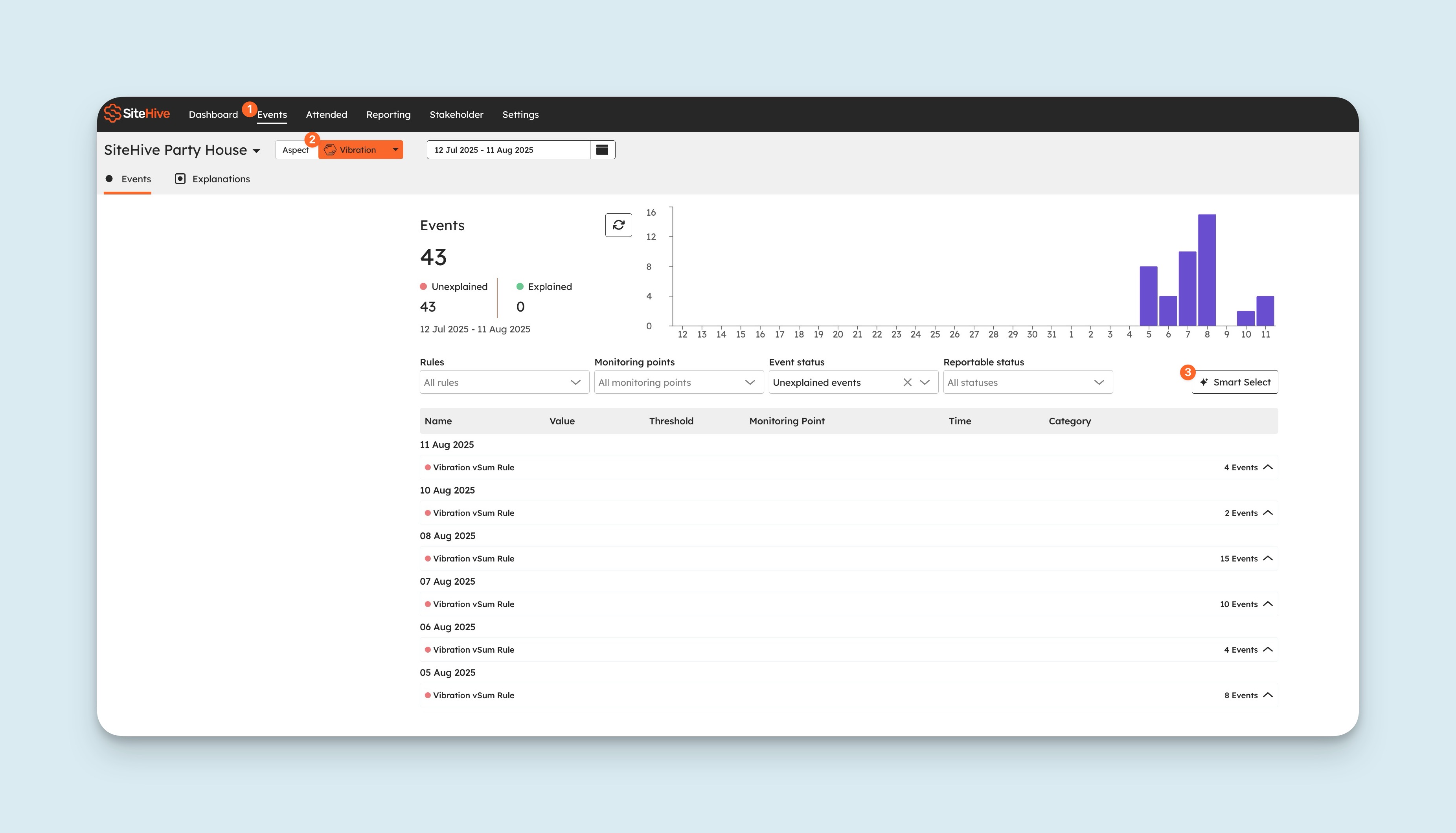
Smart Select works one aspect at a time. You tell it what does not need individual attention for that aspect, it selects every unexplained event that qualifies, and you action the selection in bulk. The events that remain are the ones that need a person.
How to use Smart Select
Go to the Events tab in your Dashboard.
Select the aspect. The Smart Select button appears above the events table for the aspects Smart Select supports.
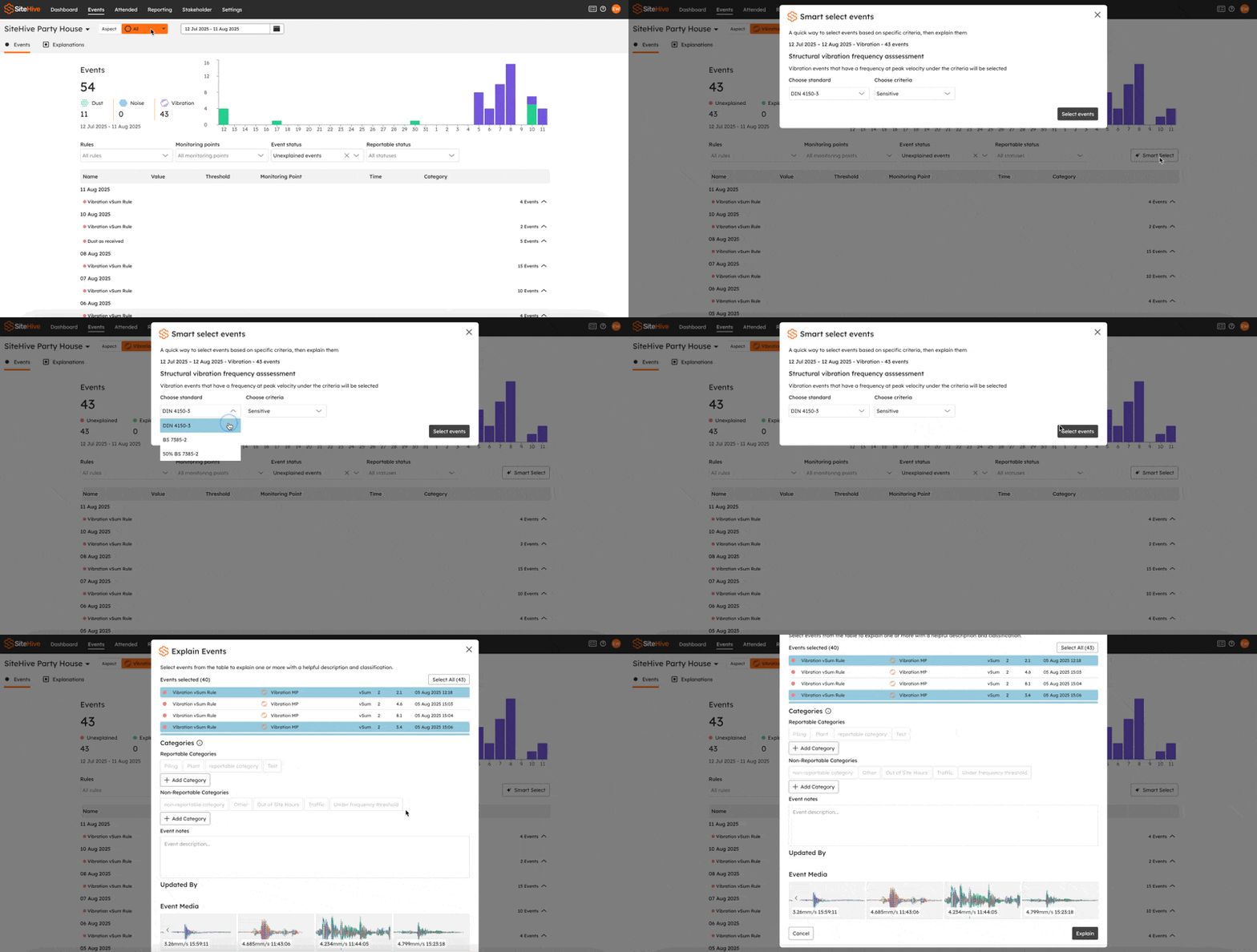
Click Smart Select.
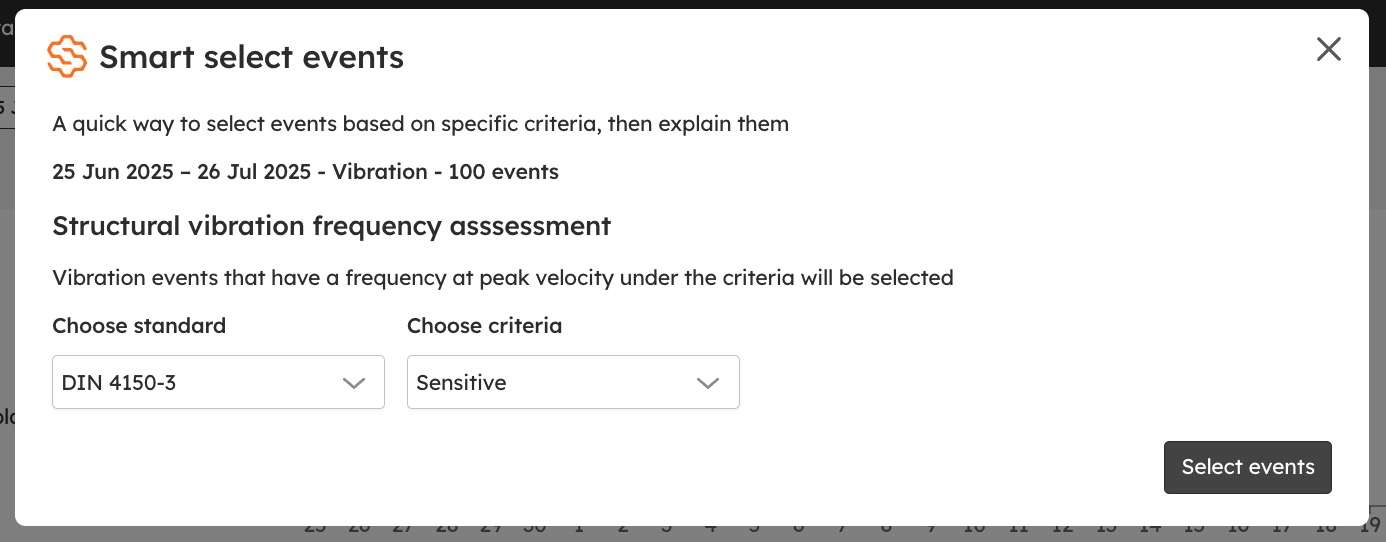
Choose your criteria in the pop-up. The criteria on offer depend on the aspect (see below).
Click Select events. The selected events are the ones that fall under your criteria and generally are not the ones you need to focus on, so explain them together and give your individual review to the events that remain. Explaining events is covered in Events: investigate an exceedance.
Criteria by aspect
Each aspect has its own way of deciding which events sit below the line. Smart Select offers the criteria that apply to the aspect you have selected.
Vibration
A structural vibration frequency assessment. Choose a standard and a criterion within it, for example DIN 4150-3 and Sensitive. Smart Select picks every vibration event whose peak velocity, at its frequency, sits under that criterion's curve.
ℹ️ Today Smart Select works on vibration events. As it comes to other aspects, their criteria will be listed here.
💡 Smart Select is at its best on a long list: a month of vibration events reviewed in minutes, with your attention saved for the few that matter.
What's next
Events: investigate an exceedance (explain the events you selected)
SiteHive Hexanode Vibration: what it measures and how (the standards behind the vibration criteria)
What is included in SiteHive Enviro Pro (the full feature list)