
SiteHive Noise: what it measures and how
The SiteHive Hexanode Noise device gives you continuous, real-time measurement of sound levels, helping you not just capture data but understand where noise is coming from and how it changes over time.
It is designed for easy deployment, reliable performance and smart insights.
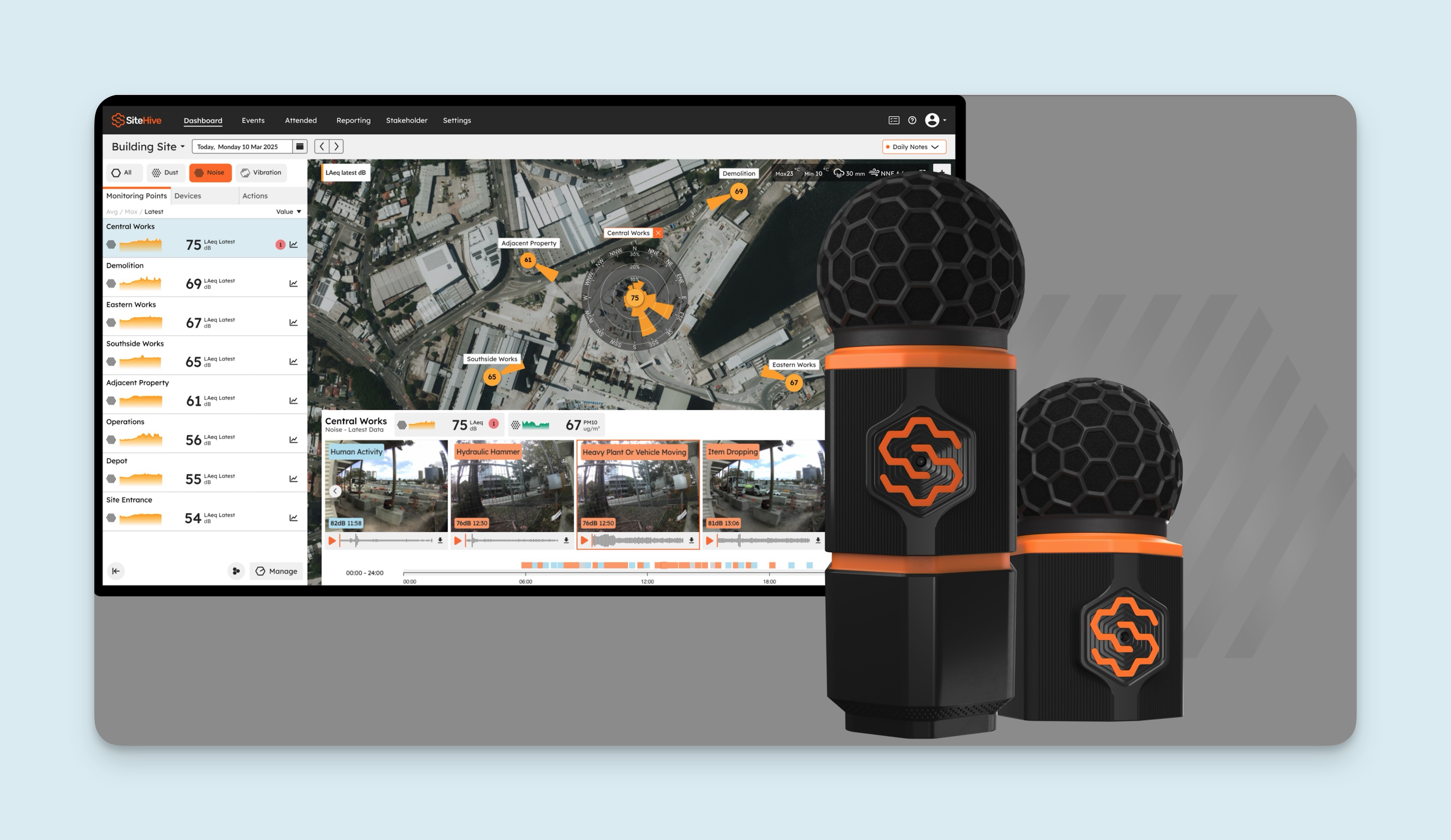
Next-gen Hexanode Noise devices are accurate, reliable and adaptable.
Capture real-time noise levels, including LAeq, LAmax, LA10, LA90 and LAmin, with precision in all environmental conditions.
Event-triggered images, audio and DoA mapping give you full visibility.
Can be used standalone or paired with dust monitoring (Hexanode Noise+Dust).
Remote updates and connectivity ensure consistent, high-quality data.
Real-time noise data
The Hexanode Noise device continuously captures and analyses sound, providing real-time data on all the key acoustic parameters, so you can identify issues immediately and manage noise impacts effectively.
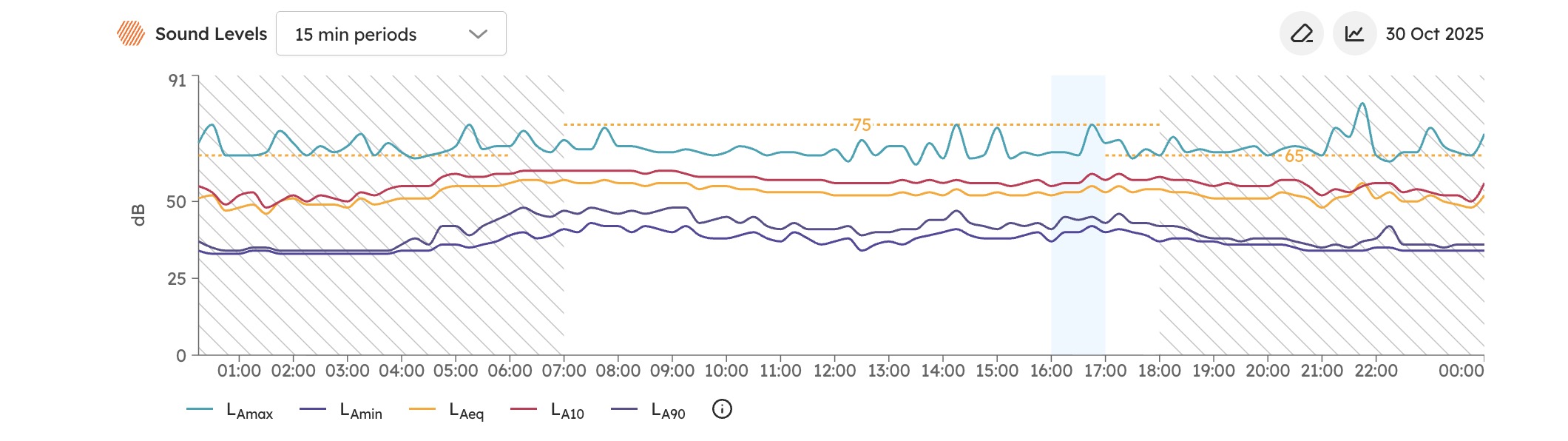
What each parameter means:
LAeq: the equivalent continuous sound level, the average noise level over a set period (15 minutes in the example above) and the main measure used to assess environmental noise compliance.
LAmax: the maximum noise level recorded in the period. It identifies peak events such as heavy-vehicle passes or sudden impacts.
LA10: the level exceeded 10% of the time, often used to describe traffic or intermittent noise.
LA90: the level exceeded 90% of the time, typically the background noise level.
LAmin: the minimum noise level recorded, the quietest conditions.
All of these parameters are calculated automatically by the Hexanode in real time, so you always have a clear, accurate view of what is happening on site as it happens.
NATA calibration
The next-generation Hexanode Noise and Hexanode Noise+Dust devices are available with NATA-accredited calibration, for the highest level of confidence in your noise data.
All calibrations are traceable, documented and aligned with Australian national standards, so your monitoring meets industry and regulatory requirements.
Each device is calibrated in a NATA-accredited laboratory, verified against international standards:
IEC 61672-3:2013 (sound level meters)
IEC 61260-1:2019 (octave filters)
What an octave band is, and why a consent may set a limit in one: Noise frequency: Octave bands.
Your calibration certificate confirms full traceability and compliance, so you can rely on your data for EPA reporting, compliance monitoring and detailed site assessments. Where to find your certificates, and how calibration is managed over a deployment: Calibration and certificates.
How to access NATA-level calibrated devices
You can:
Have your SiteHive devices calibrated by any NATA-accredited lab yourself; or
Order NATA-calibrated devices and certification from SiteHive. The service is $50 per month per device, and SiteHive manages the full calibration process so your devices arrive calibrated with certificates.
Next-generation devices can also be used without NATA calibration: they come as standard with calibration conducted by SiteHive.
Audio and image capture
Capture more than numbers. With event-triggered images and audio, the Hexanode records what is happening when a noise event occurs, giving you clear context and actionable insight.
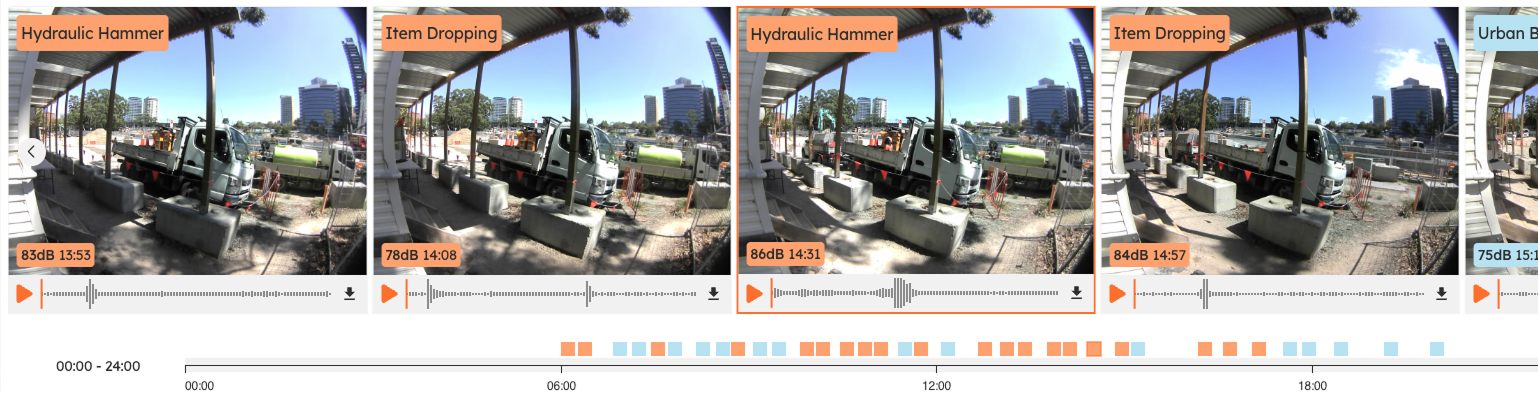
Automatic media capture: as soon as an event is triggered the device captures a time-stamped image and a 6-second audio clip (3 seconds before and 3 seconds during the event), for fast, accurate identification of the source and nature of the noise.
AI-classified audio labels (SiteHive Enviro Pro): each audio clip is analysed and labelled automatically (for example works-related, traffic or background) so you can filter and prioritise what matters.
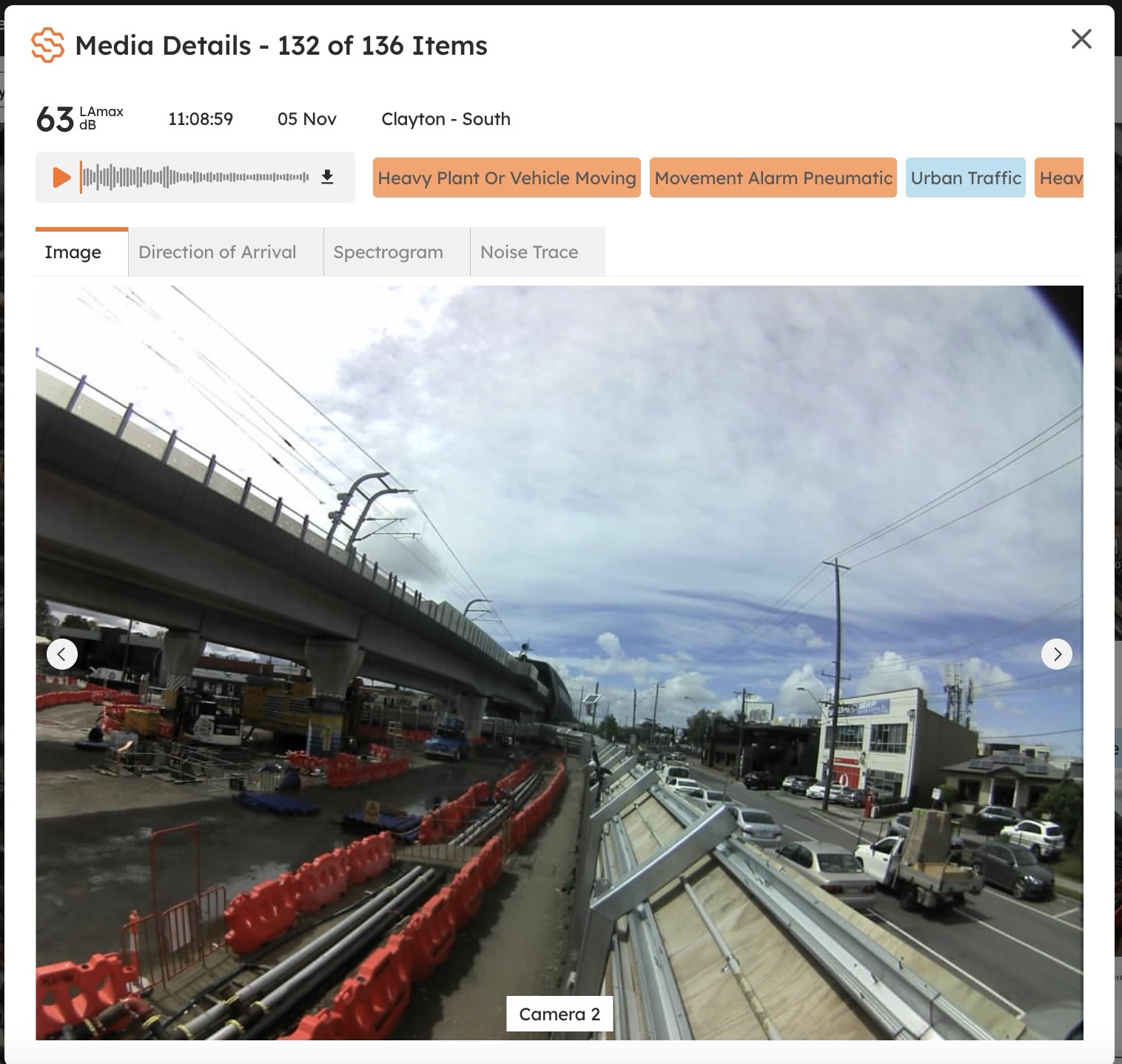
ℹ️ Media triggers: image and audio captures are based on LAmax, the peak noise level, not on the thresholds you set for your rules (which may use LAeq or other metrics). A rule may trigger at one level while media capture follows a different criterion aligned to peak levels. See Set up media triggers.
DoA (Direction of Arrival) mapping
Identify exactly where noise is coming from, visualised directly on the SiteHive Dashboard. See Direction of arrival: where the noise came from.

The Hexanode Noise device uses a multi-microphone array to detect the Direction of Arrival (DoA), the angle the sound comes from.
By analysing the tiny differences in when each microphone receives a sound wave, the device determines the direction of the noise source.
You can see DoA data on your Dashboard:
Dashboard map: arrows and directional indicators show where the loudest noise activity is coming from.
DoA visualisation: click a Monitoring Point for a circular chart of the distribution of noise by direction over your selected period.
Integrated analysis: combine this with event data, audio and images to identify the likely source of an exceedance quickly.
Together these tools give a clear, visual understanding of both noise levels and their direction, so you can explain what is happening on site and respond appropriately.
What's next
Direction of arrival: where the noise came from (the DoA map and chart in detail)
Set up media triggers (the LAmax level that captures photos and audio)
SiteHive Weather: what it measures (weather context beside your noise data)