
Daily notes
Daily Notes let you document observations and track Monitoring Points directly from your SiteHive dashboard. You can add images and files, and tag specific Monitoring Points, making it easier to keep everything organised. These notes can also be included in your PDF reports for thorough and accurate documentation. Daily Notes is perfect for teamwork and keeping track of what is happening on site and with your monitoring.
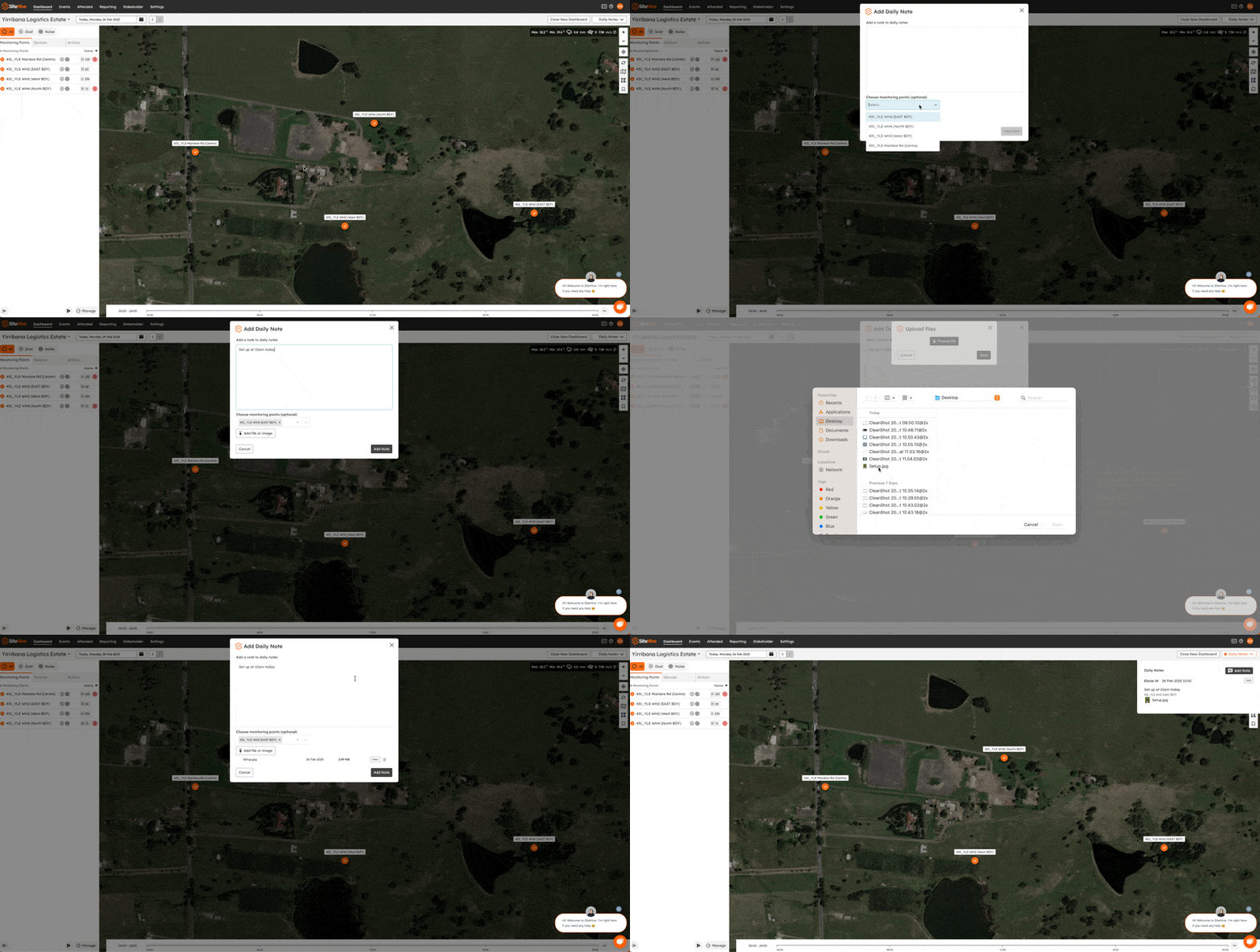
Access Daily Notes
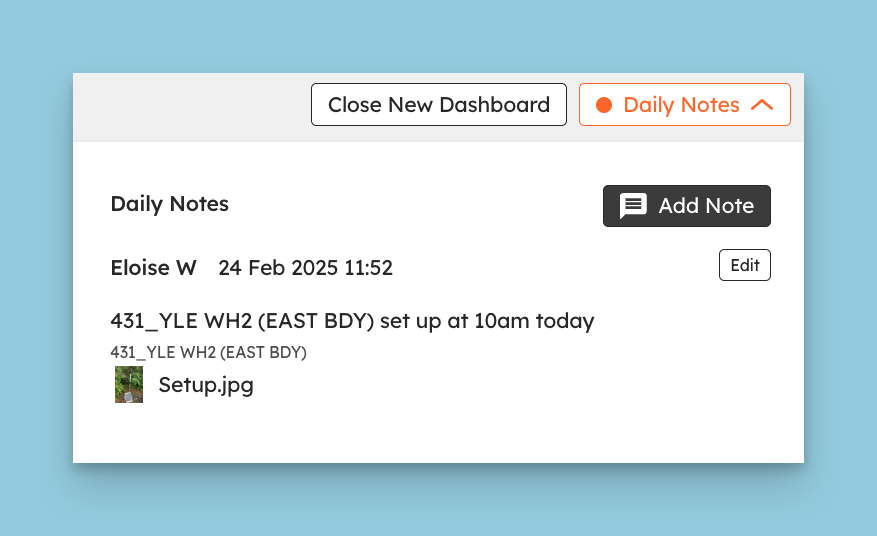
Go to the Dashboard and find Daily Notes in the top right corner.
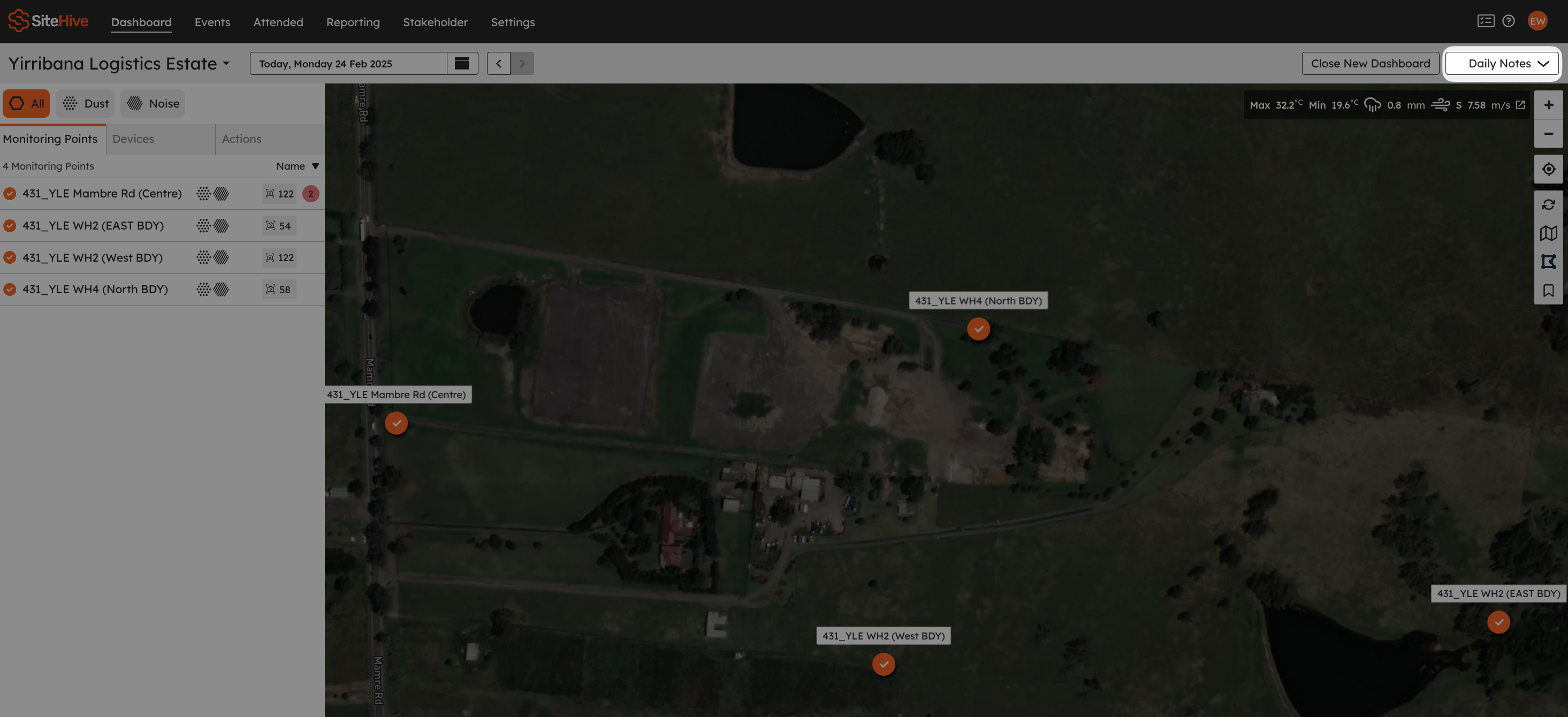
Add a Daily Note
If there are no daily notes yet, you'll be taken straight to the Add a Daily Note form. Otherwise, click Add Note.
Write your note in the text box, then assign it to a Monitoring Point if it relates to a monitoring issue, or if you want the note reported against that Monitoring Point's location.
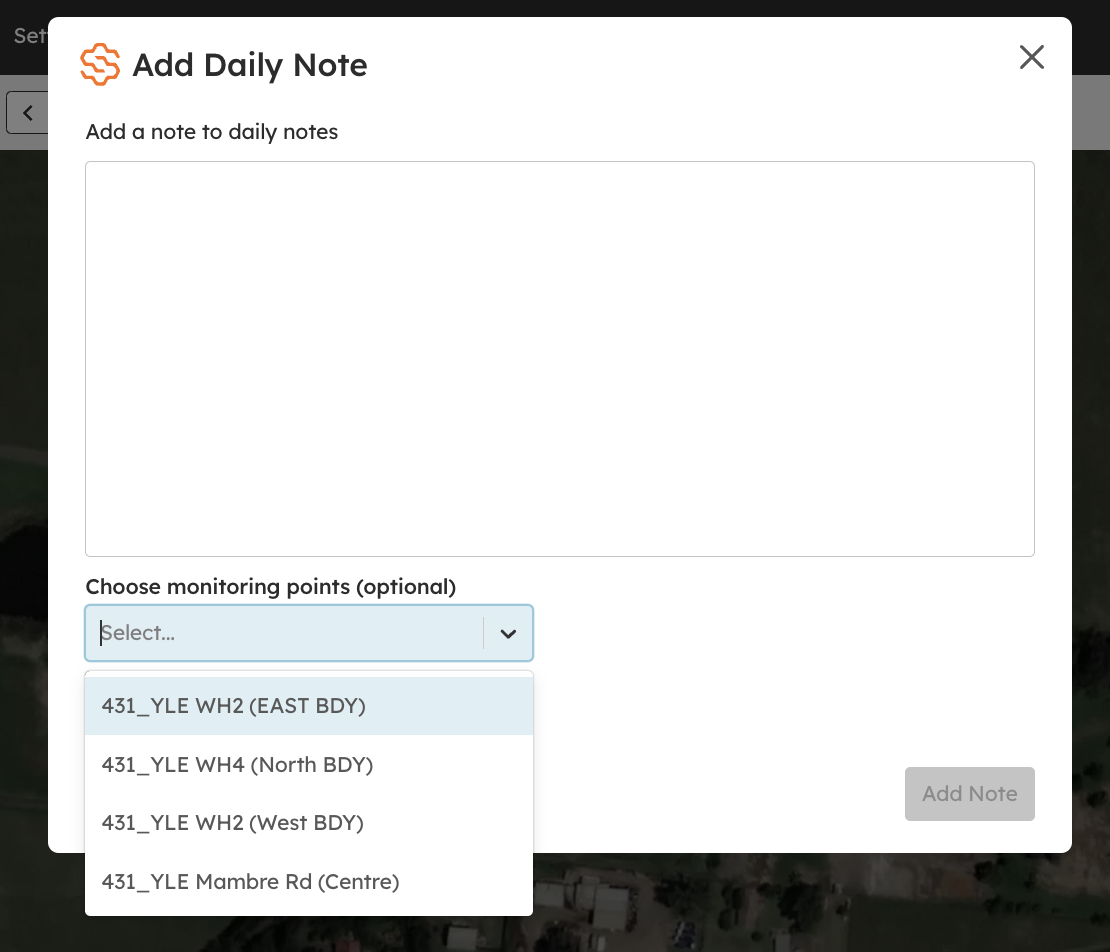
You can enhance your notes by attaching images or files for richer context.
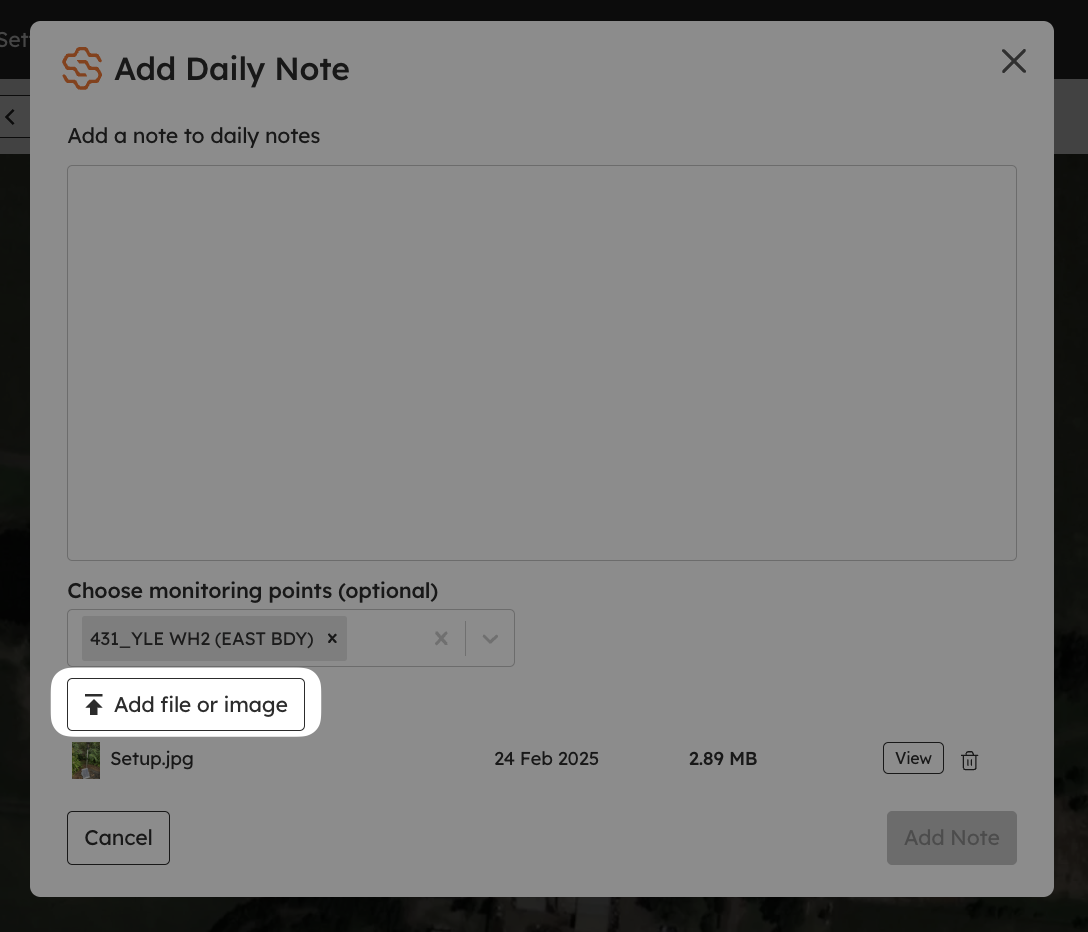
Done: your note now appears in the Daily Notes section. The Daily Notes button turns orange to show there are notes for that day.
Daily Notes in Reports
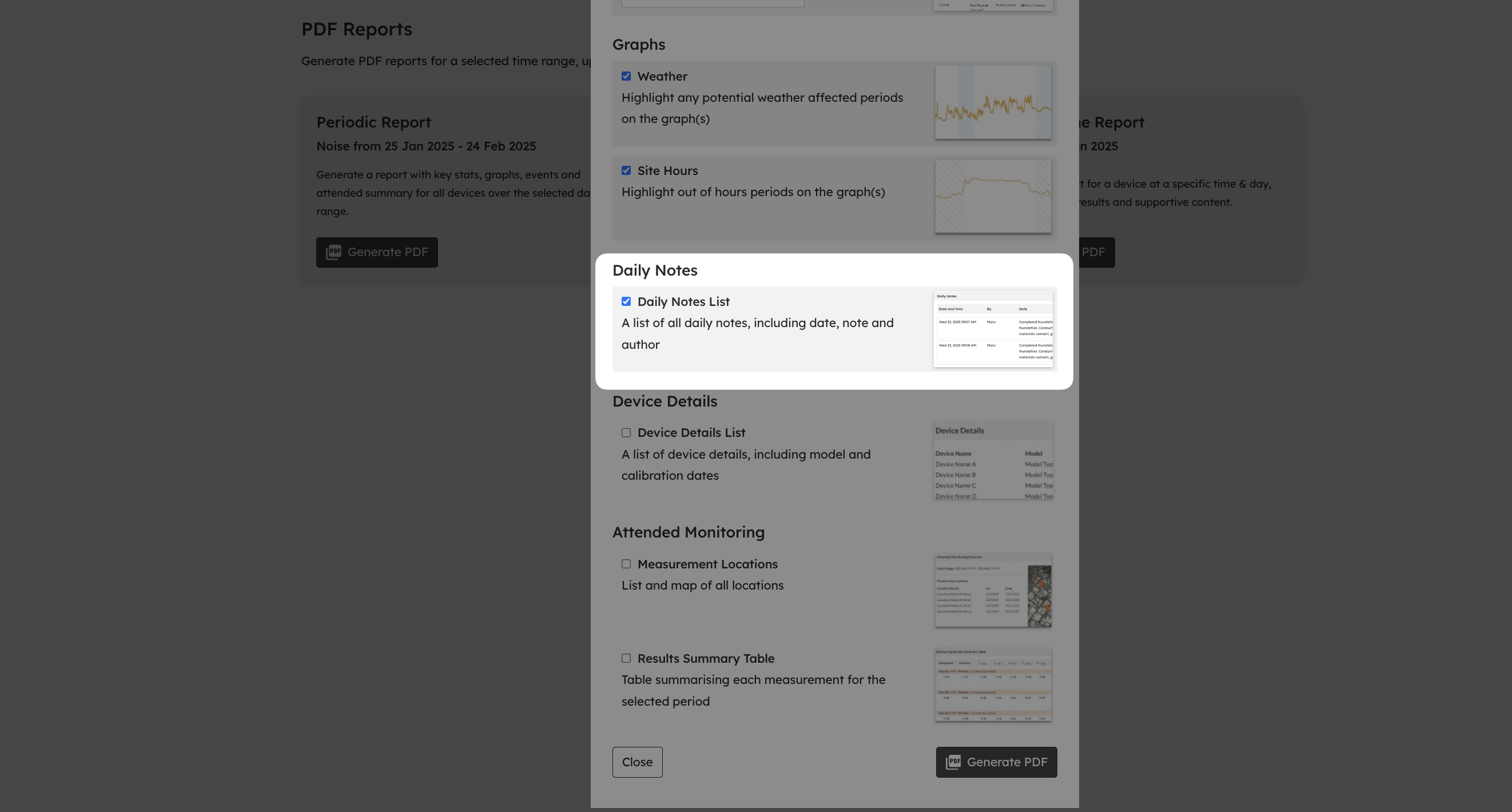
You can include your Daily Notes in a PDF report: just tick the option in the PDF preferences. See PDF Reports for more.
What's next
Create a PDF report (include your notes in a report)
Media timeline: the photos and audio your devices capture (the photos and audio that sit beside your notes)
Check your site details and records (the monthly check on notes and site details)